 UtilEngine
The launcher your browser is missing.
A collection of everyday productivity tools inside a fast, keyboard-first launcher that lives on every page of your browser. Chat with AI, save your windows as sessions, and search your tabs and history without leaving the page.
Get it for $49


Fewer tab hops
Commands run on the page you're on.
Buy once, use forever
No subscriptions. No hidden fees.
Updates included
Every new tool and fix, at no extra charge.
Private by design
We check your purchase, never your browsing history.
See it in two minutes

How it works
Everything you need,
one shortcut away
Shortcuts
Alt+Z by default, change it anytime. Up to five commands get a key of their own.
Favorites
Add any command from its actions menu. It waits at the top before you type.
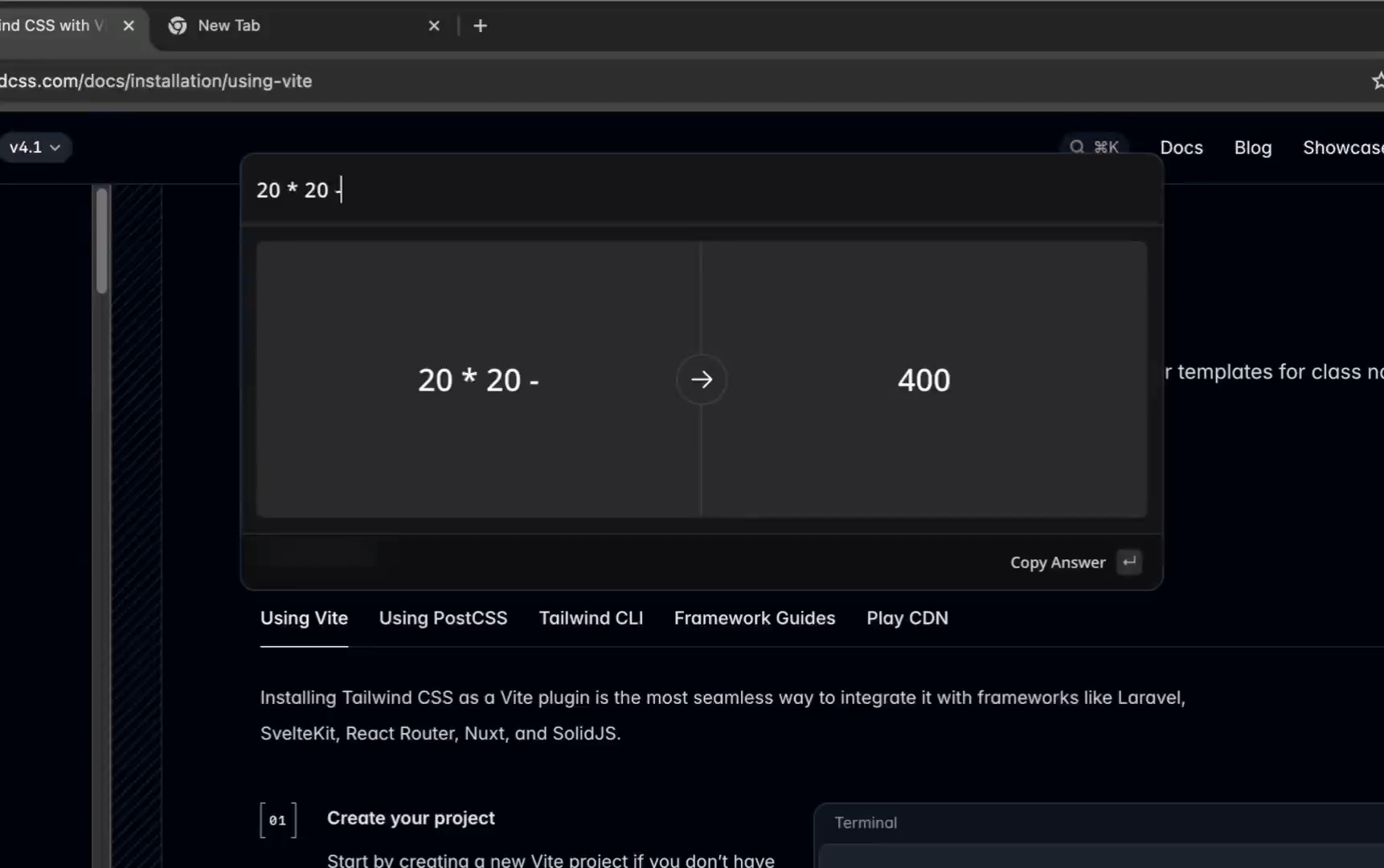
Calculator
Type math in the launcher. Functions, constants, history, all inline.
Address bar
Type “ue”, a space, and a command. Runs without the launcher, even on new tabs.
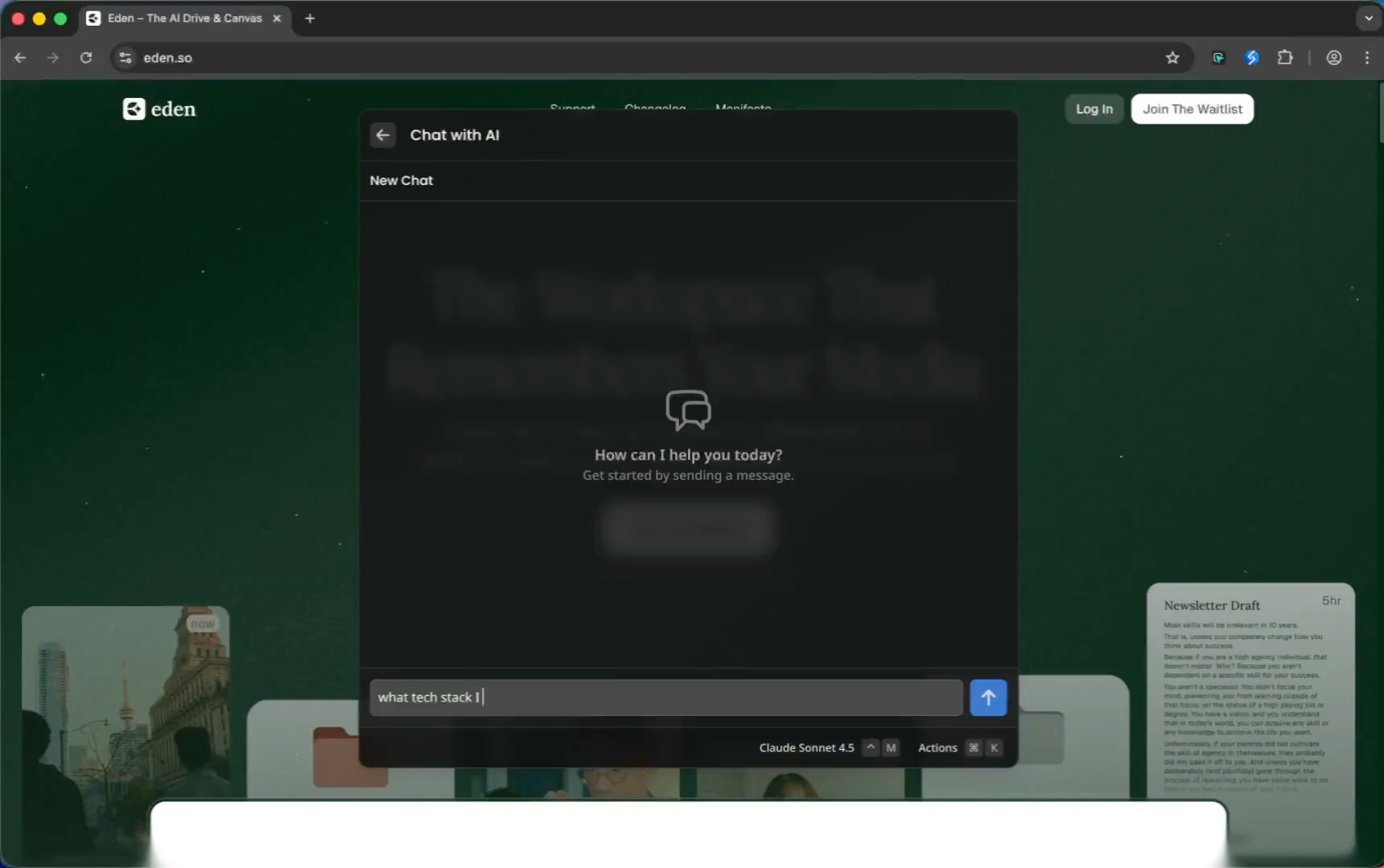
Chat with AI
Full chat with any model, on any tab.
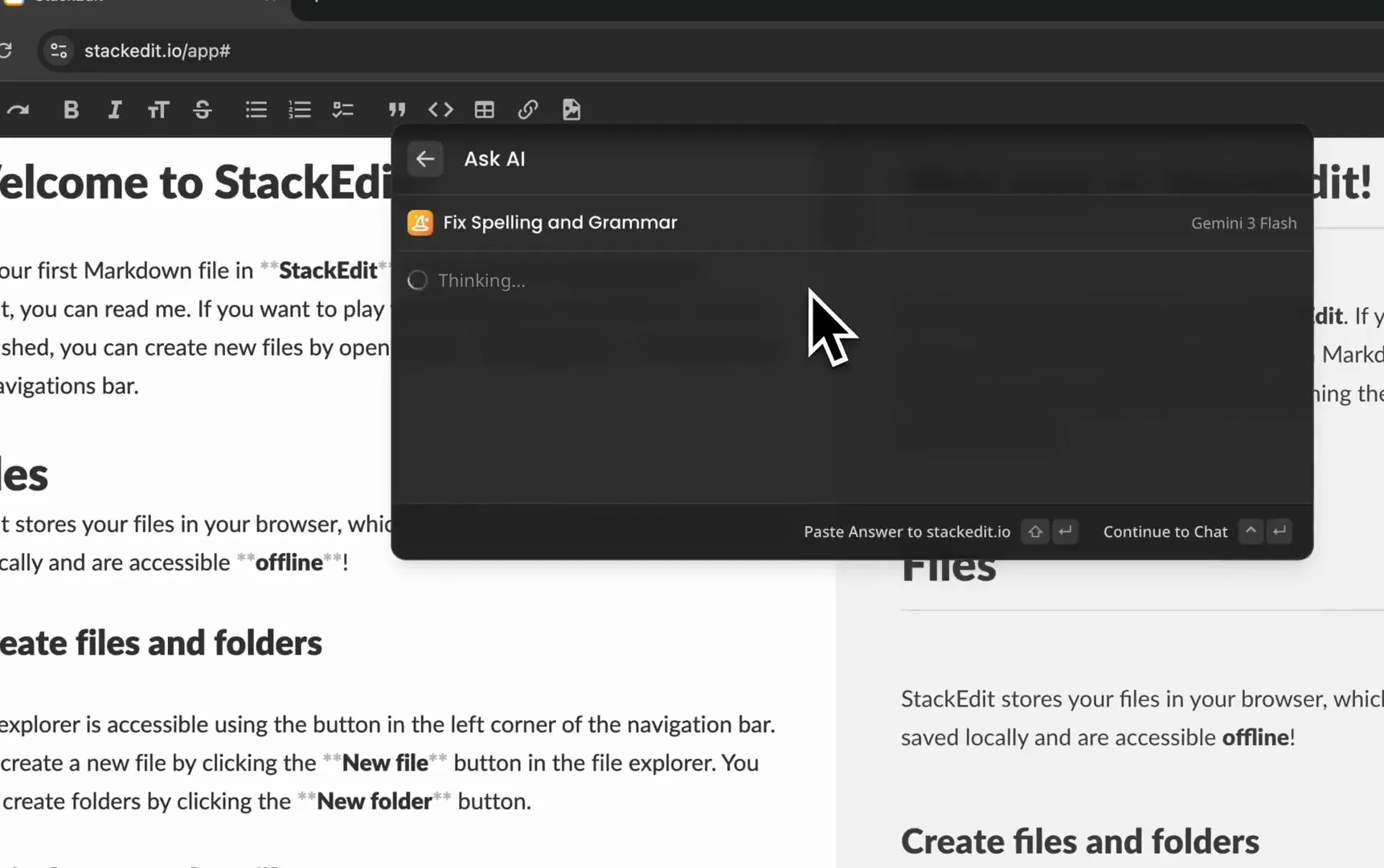
AI Commands
Reusable prompts with dynamic variables, and a different model for each one.
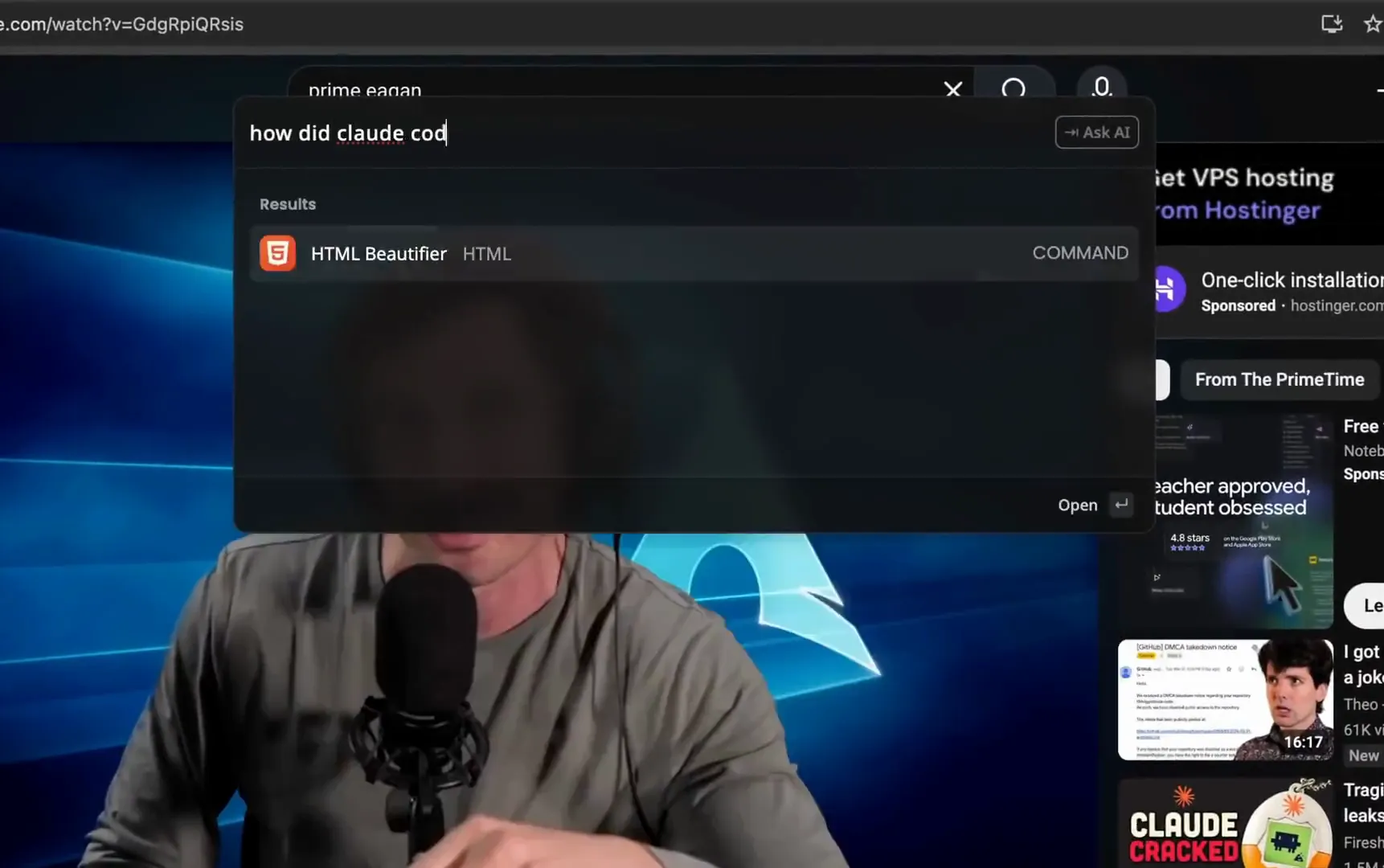
Ask AI
Type a question. Hit Tab. Skip the chat UI.
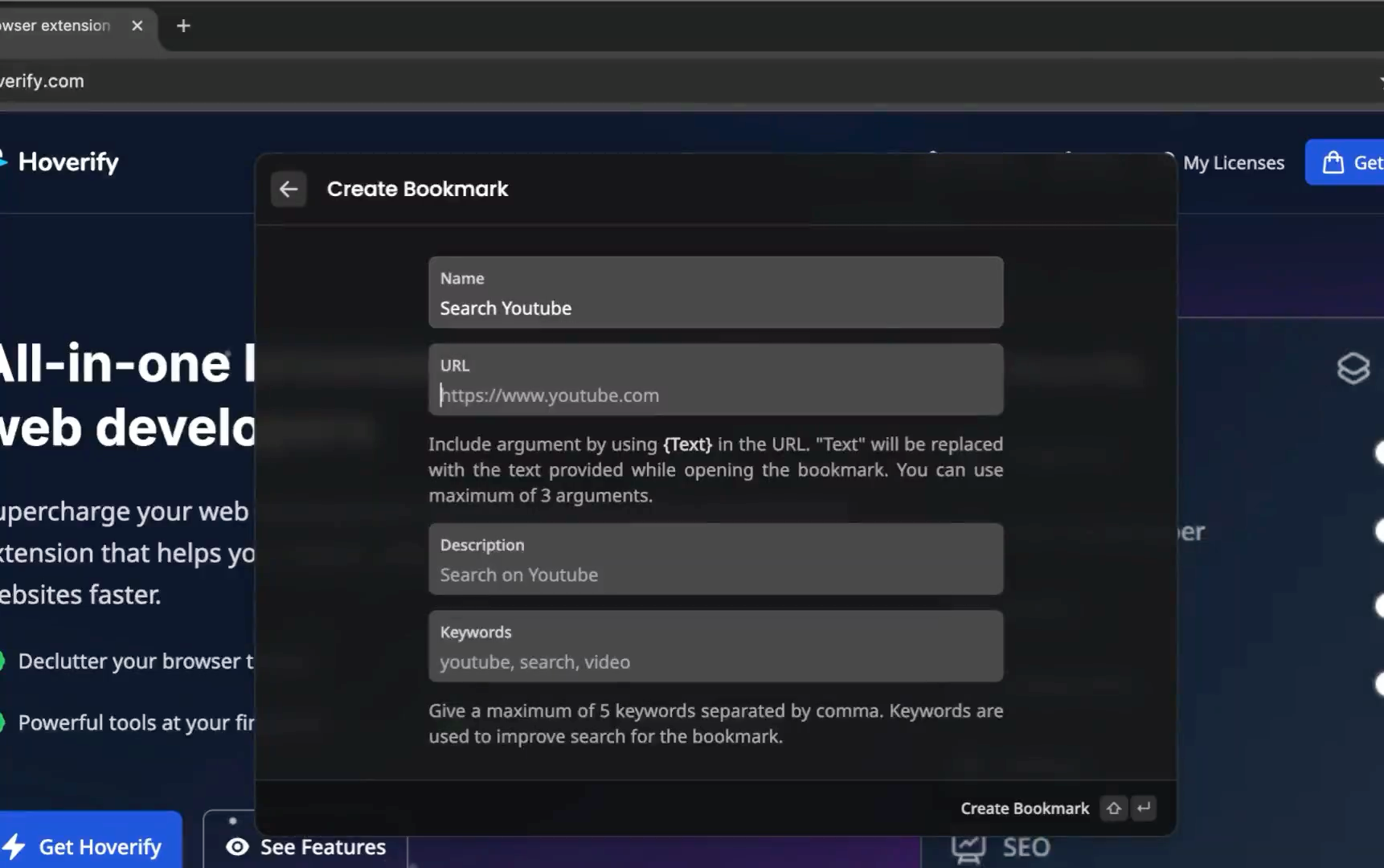
Bookmarks
Save sites with placeholders. Launch them by name from any page.
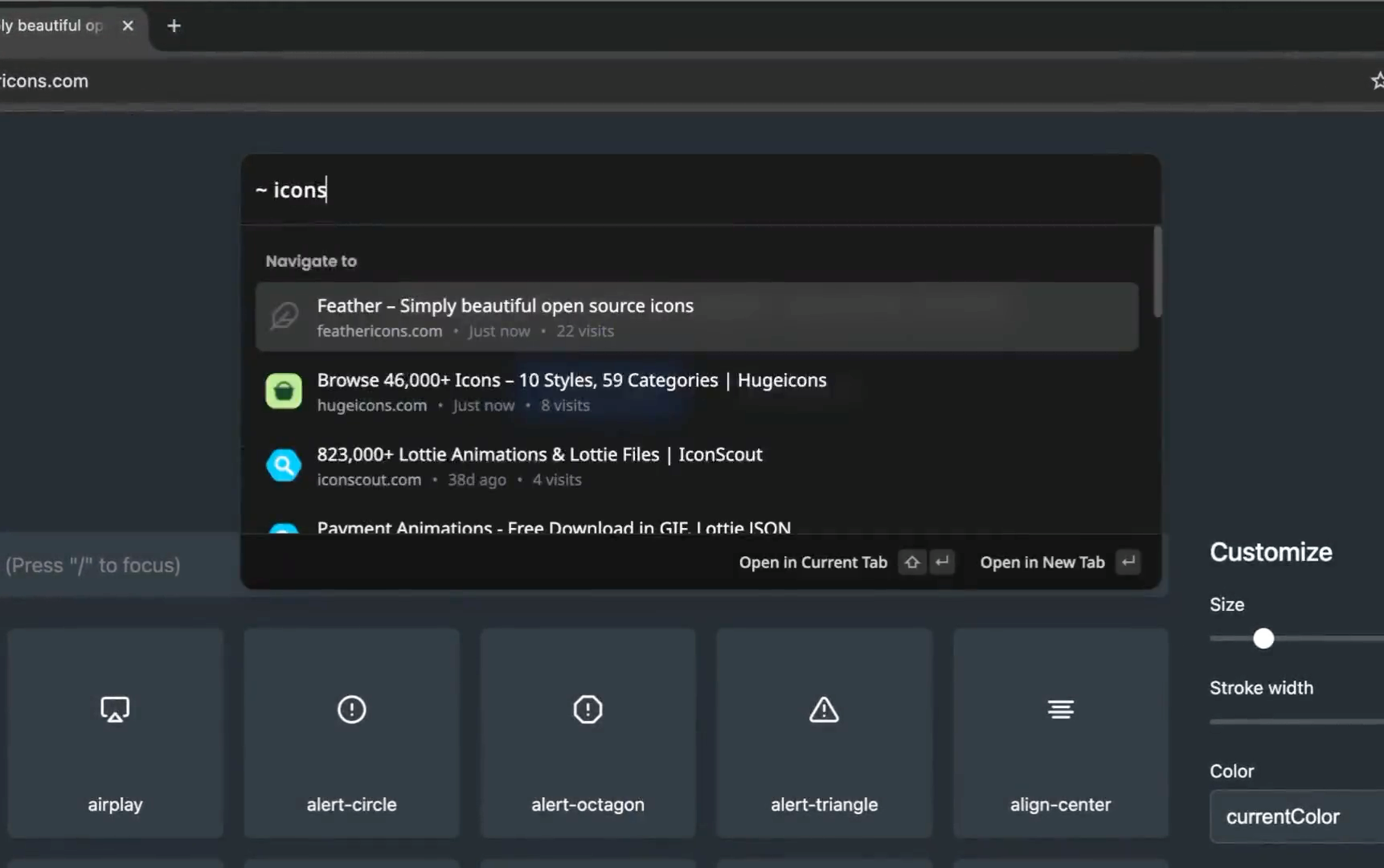
History
Find any visited page. Type h and a keyword, or paste a URL.
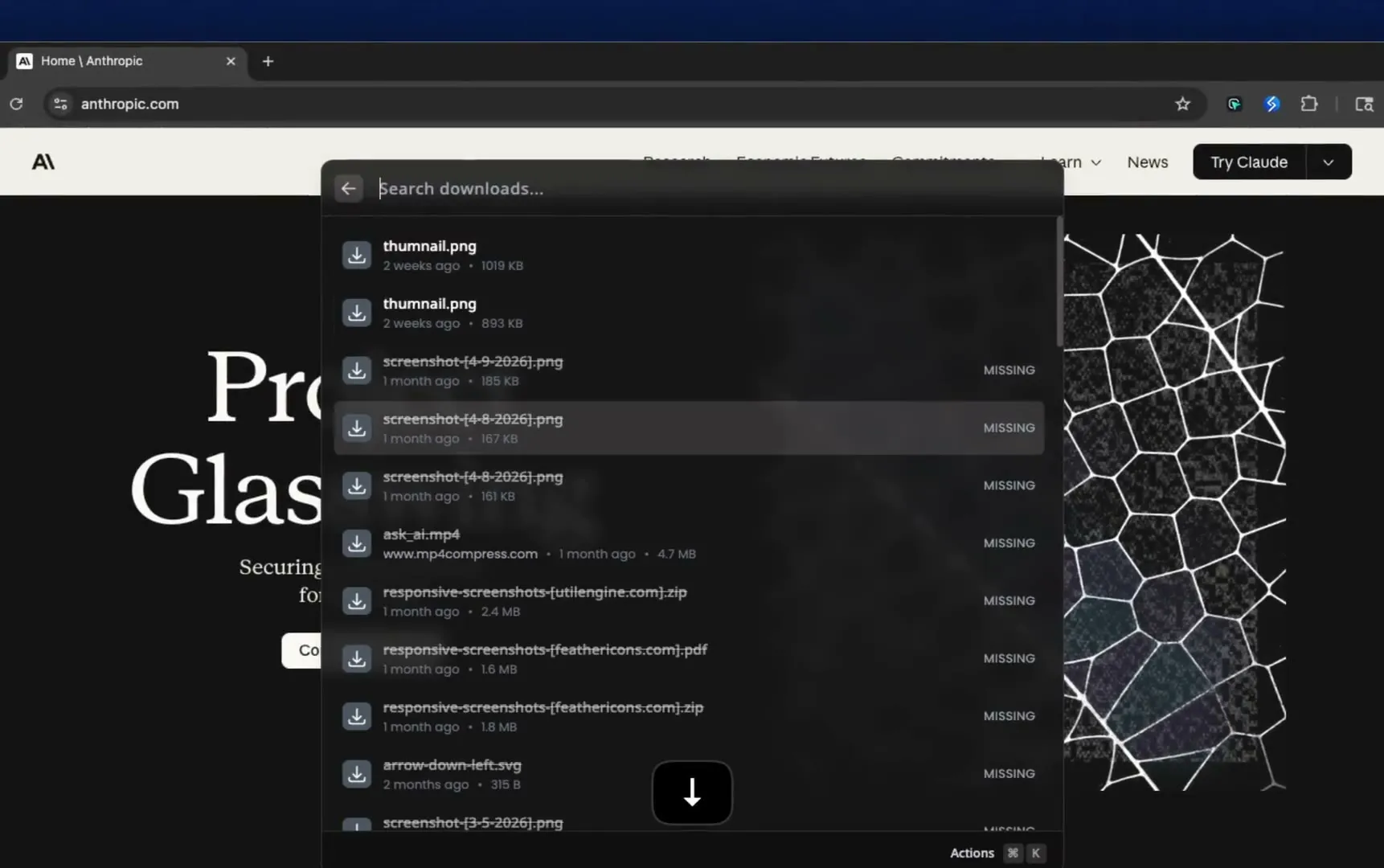
Downloads
Find any past download. Open it again in one click.
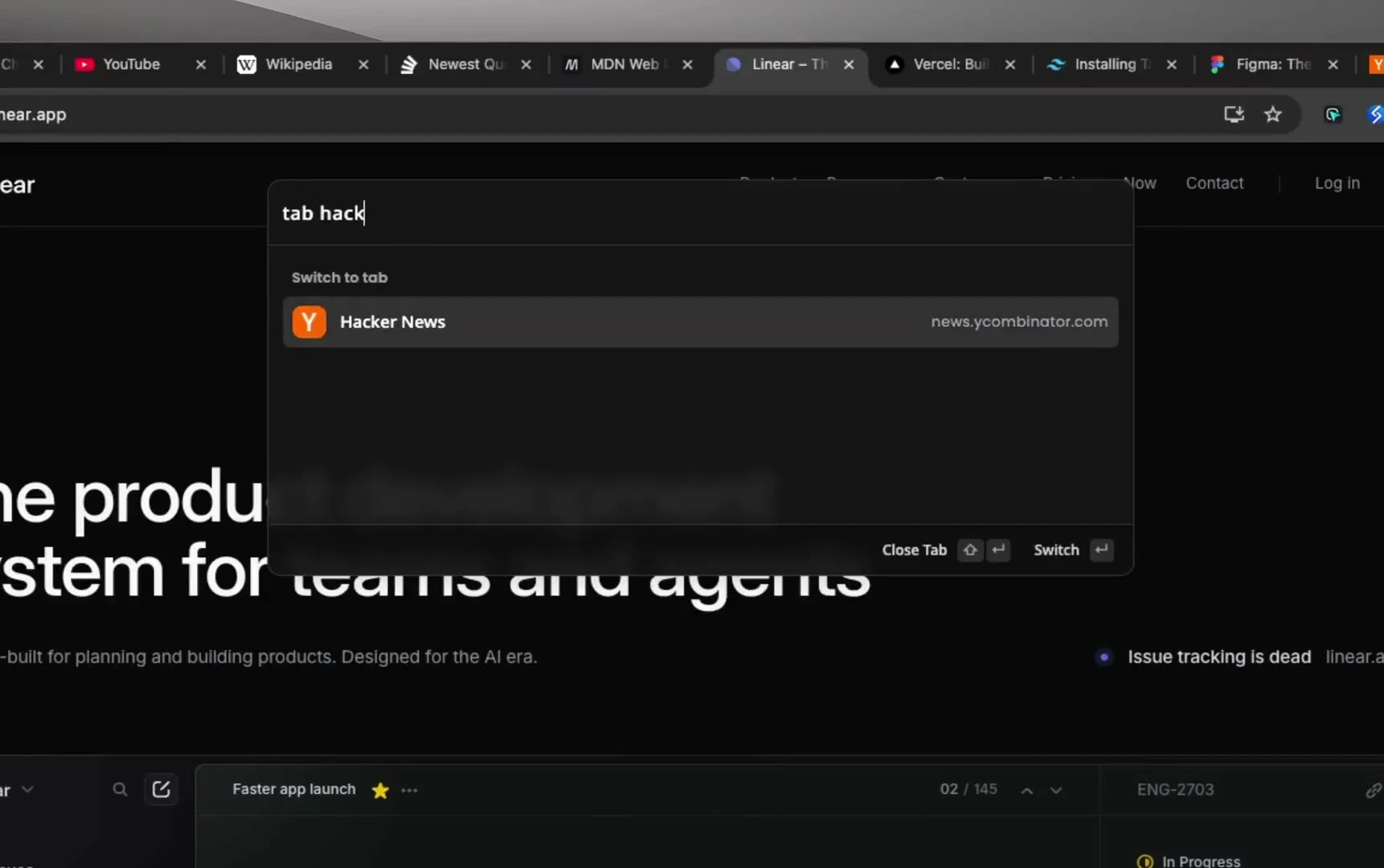
Tabs
Type t, find any open tab. Copy its link, or close a dozen at once.
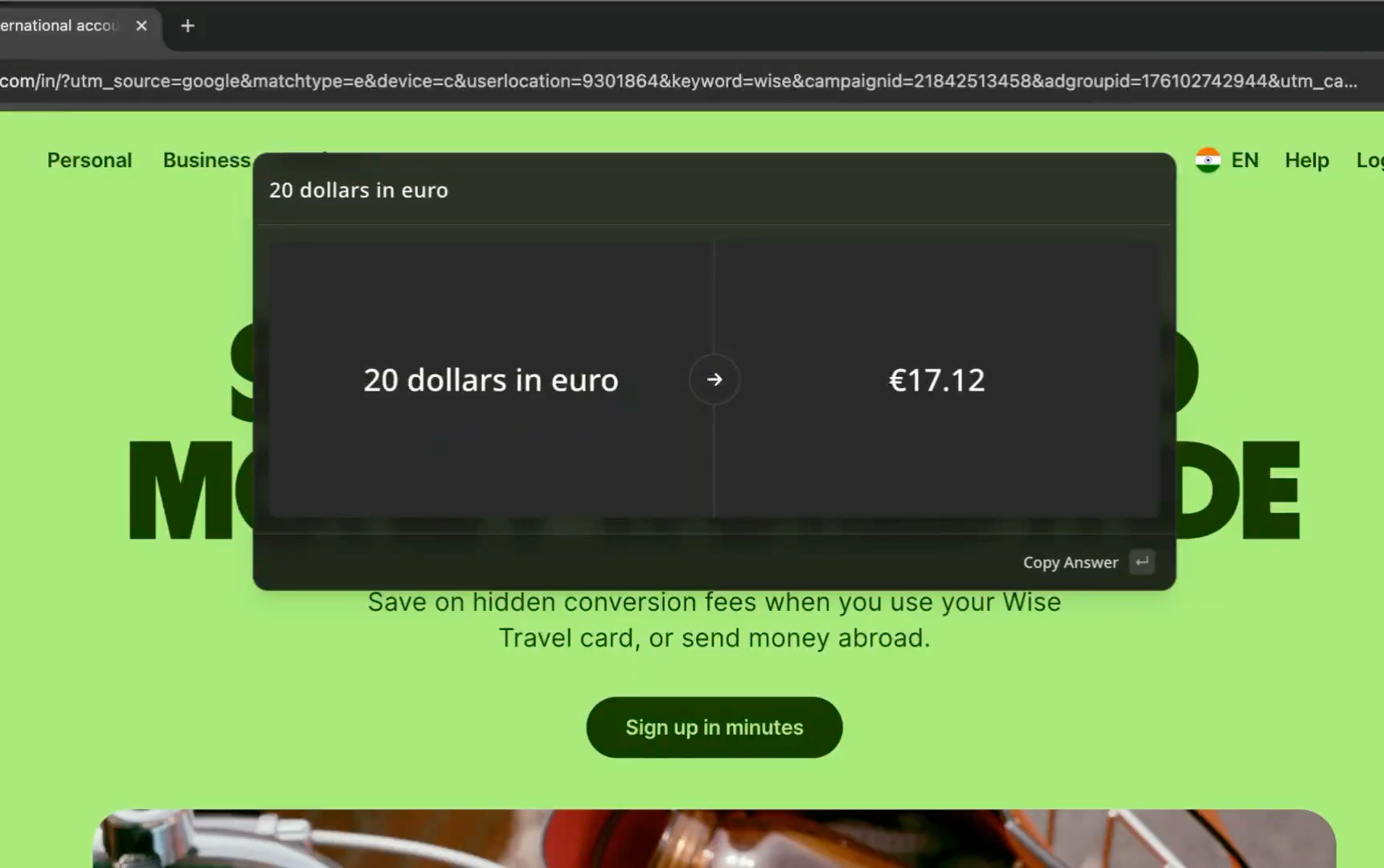
Currency Converter
35 currencies, live rates. Type 100 USD to EUR in the launcher.
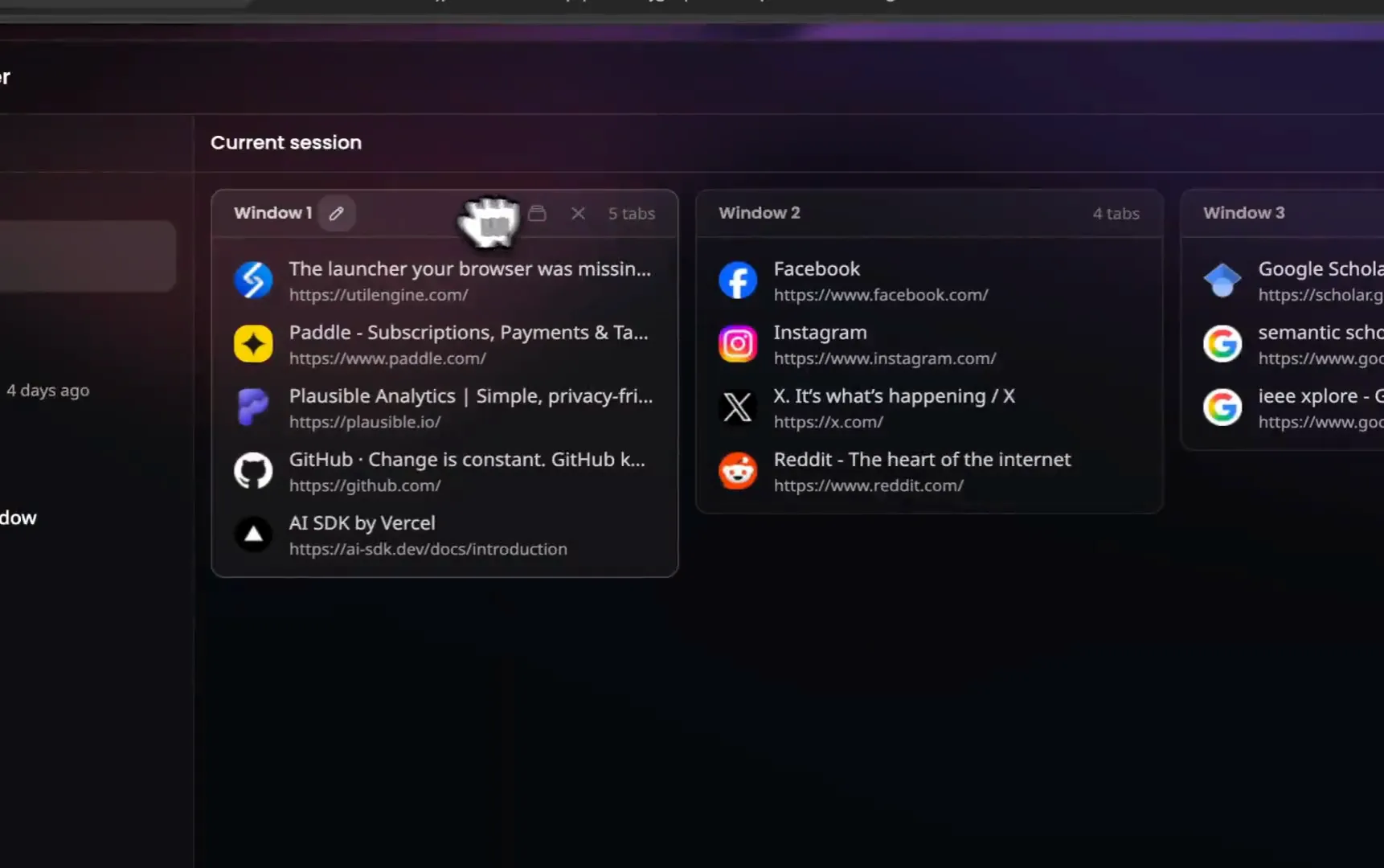
Sessions
Save a window, close it, and reopen it in any of your browsers.
Snippets
Save text you type often. Insert it into any field by name, arguments included.
Extensions
Switch any installed extension on or off without opening the extensions page.
Unit Converter
Type 6 ft to cm in the launcher. Length, weight, temperature, and more.
Tools & Commands
Text, code, images, JSON, URLs, and more.
Never lose a window
Save any window as a session. Close it, reopen it tomorrow, or on another machine.
Explore sessions Figma - Q3 Redesign
 Competitor teardown
 Pricing research
 Analytics
 Launch checklist
AI where it's most useful, in your browser
Ask about a page, rewrite a selection, or write your own commands. Runs where you are, not in another tab.
Explore the AIChat with AI
Streaming chat with any model, switchable mid-conversation. Web search included.
AI Commands
Six built-in commands, or write your own using anything on the page.
Any model
Your key. No markup.
- OpenAIGPT-6.1 Sol ProGPT-6.1 SolGPT-6 Astra Pro+33
- AnthropicClaude Opus 5.5Claude Opus 5Claude Sonnet 5.5+12
- GoogleGemini 3.8 FlashGemini 3.7 FlashGemini 3.6 Flash+5
- MetaMuse Spark 1.3Muse Spark 1.2Muse Spark 1.1+1
- xAIGrok 4.7Grok 4.6Grok 4.5+3
- MoonshotAIKimi K3Kimi K2.7 CodeKimi K2.6+2
- Z.AIGLM 5.3 PrimeGLM 5.3GLM 5.3 Flash+8
One profile, every browser
Your sessions, bookmarks, snippets, AI commands, and settings follow you to Chrome, Brave, and Edge on every computer you sign in on.
Changes upload seconds after you save and reach your other browsers within minutes.
Your favorite productivity tools, all in one place
Explore the command palette
HTML
Preview, beautify or sanitize HTML code.
HTML Preview
HTML Sanitizer
HTML Beautifier

Image Converter
Convert images to PNG, JPEG, or WEBP.
Convert Images
Convert To WEBP
Convert To PNG
Convert To JPEG

JSON
Parse, format or minify JSON, and convert it to YAML, CSV or vice versa.
JSON Parser
JSON to CSV
JSON to YAML
YAML to JSON
CSV to JSON

Text
Inspect text to extract information, find diff, convert case, and more.
Text Case Converter
Text Diff
Text Inspector
Lorem Ipsum
Random String
Backslash Escape/Unescape

URL
Encode, decode, or parse URLs.
URL Encode / Decode
URL Parser

Base64
Encode strings, images and files to Base64, decode Base64 back, and read JWTs.
Base64 String Encode/Decode
Base64 Image Encode/Decode
JWT Decode

Snippets
Insert reusable text anywhere, with arguments filled in from the launcher.
Create Snippet
Save Selection as Snippet
Manage Snippets

Calculator
Type math or a unit conversion in the launcher, all inline.
Calculator
Unit Converter
Calculator History

Browser
Search tabs, history and downloads, and switch extensions on or off.
Tabs
History
Downloads
Extensions
One payment, yours forever
Lifetime access
Everything UtilEngine does, today and every future update.
One-time payment. VAT included.
Already bought it? Install from the Chrome Web Store
Questions, answered
Do you offer a trial version?
No trial, but you get 14 days to refund. No questions asked.
How do I get started after buying?
Install it from the Chrome Web Store, click Sign in, and pick Google or a one-time code sent to your purchase email. The extension registers the device on its own.
Can I use UtilEngine on my work and home computers?
Yes. Your account works on up to 10 devices at the same time. Manage them from the dashboard.
What browsers are supported by UtilEngine?
UtilEngine works on Chrome, Brave, Edge, and other Chromium browsers. Firefox support is on the roadmap.
Do you collect my data?
Only what your account needs. You sign in once with Google or your purchase email, and we store your account details, your purchase record, and the browsers you have signed in on. If you use sync, your saved sessions, bookmarks, snippets, AI commands, and settings are stored so they can follow you. Your OpenRouter key is never synced. Your browsing history and page content never reach our servers.
What can the AI do?
Ask a question inline, summarize or rewrite a selection, ask about the page, and write your own commands. Chat can read the page you are on and search your tabs and downloads, and your history once you switch it on. Any of 85 models, a different one per command if you like.
Do I need to pay for AI features separately?
AI features need a free OpenRouter API key. You pay OpenRouter directly for usage. We take no markup.
Does it work on all websites?
Yes. UtilEngine uses Shadow DOM isolation, so it never interferes with page styles. On restricted pages like chrome:// URLs, it opens in a standalone tab.
Go deeper
Every feature above has its own page. Start with the one you came for.