AI where it's most useful, in your browser

Ask a question, rewrite a selection, summarize the page, or turn any prompt into a command. One keystroke (Alt+Z by default) on any page, no extra tab.

Get it for $49

Which tabs did I leave open on this?

• Three on OpenRouter pricing • One on model routing • Two on the extension docs

Claude Sonnet 5

Any of them bookmarked?

Two of them, both under Reading.

Claude Sonnet 5

What did the pricing pages say?

You pay providers directly. No markup in between.

Claude Sonnet 5

Claude Sonnet 5
Ask anything...

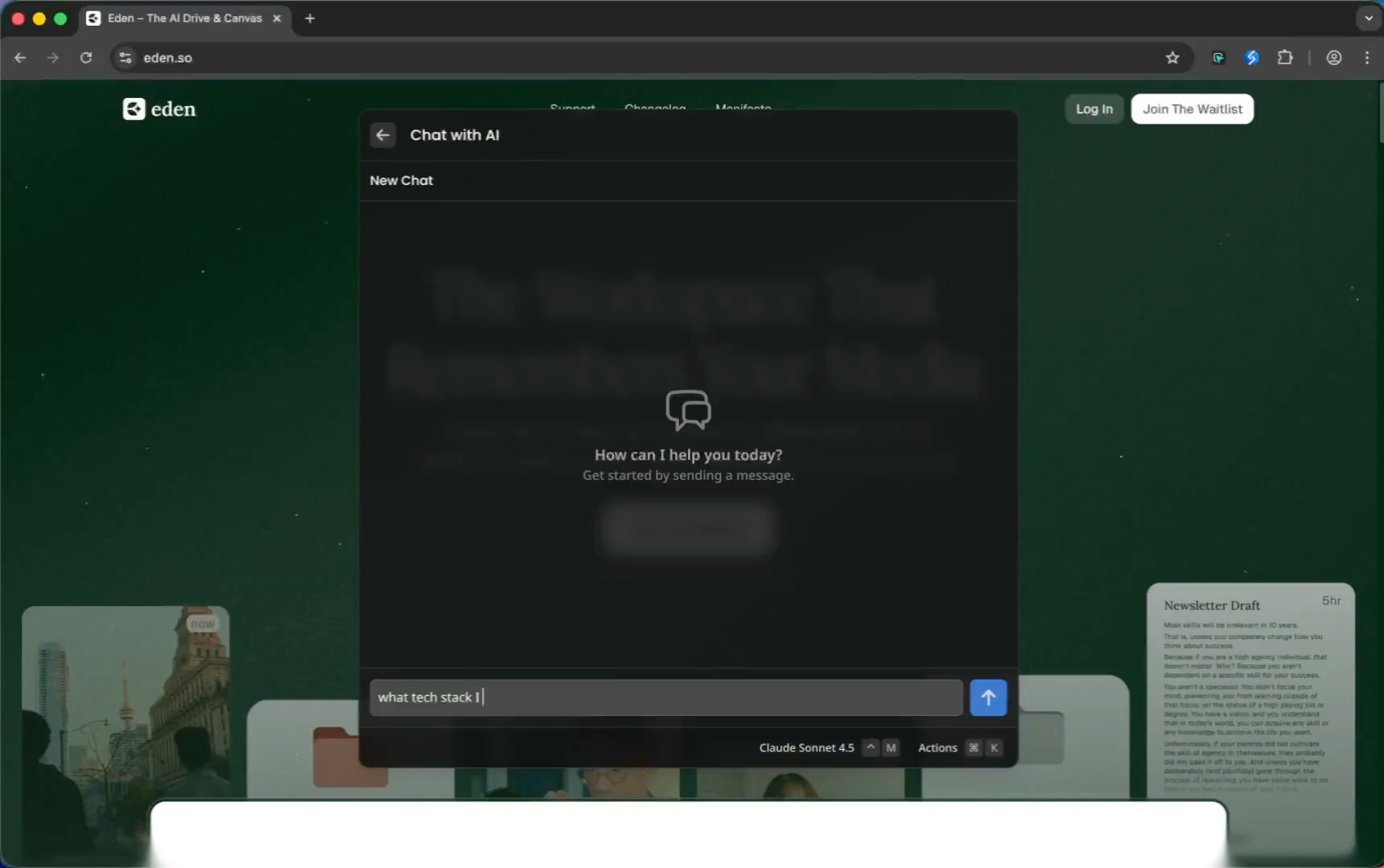
Chat with AI

Streaming chat with any model, switchable mid-conversation. Web search included.

AI Commands6 built in
Prompt

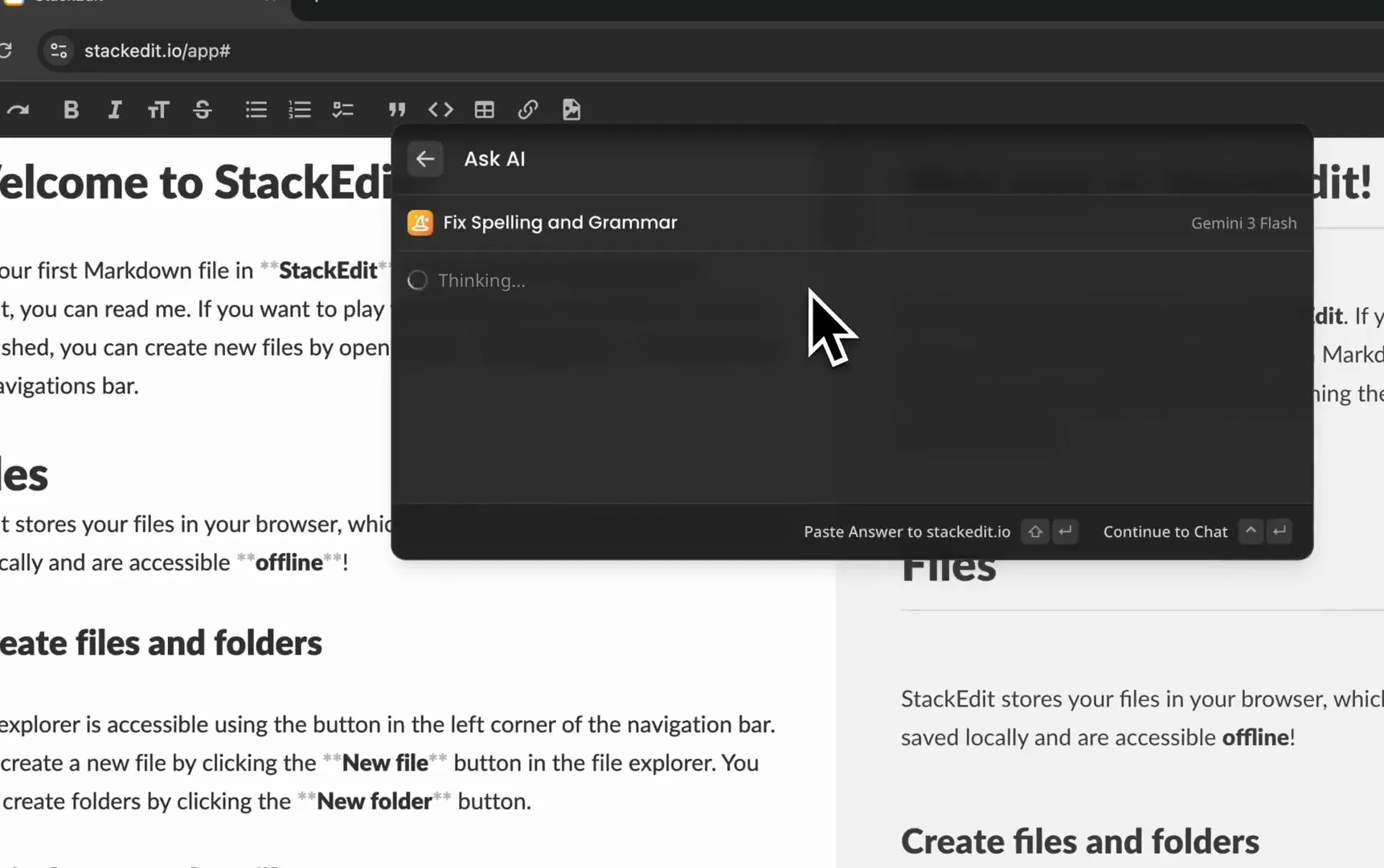
Fix the spelling and grammar of: {selection}

AI Commands

Six built-in commands, or write your own using anything on the page.

Any modelYour key. No markup.
OpenAIGPT-5.6 SolGPT-5.5 ProGPT-5.5GPT-5.3 Codex
AnthropicClaude Opus 5Claude Sonnet 5Claude Fable 5Claude Haiku 4.5
GoogleGemini 3.7 FlashGemini 3.6 FlashGemini 3.1 Pro
MoonshotAIKimi K3Kimi K2.7 CodeKimi K2.6
xAIGrok 4.6Grok 4.5Grok 4.3
Z.AIGLM 5.3GLM 5.3 FlashGLM 5.2
OpenAIGPT-5.6 SolGPT-5.5 ProGPT-5.5GPT-5.3 Codex
AnthropicClaude Opus 5Claude Sonnet 5Claude Fable 5Claude Haiku 4.5
GoogleGemini 3.7 FlashGemini 3.6 FlashGemini 3.1 Pro
MoonshotAIKimi K3Kimi K2.7 CodeKimi K2.6
xAIGrok 4.6Grok 4.5Grok 4.3
Z.AIGLM 5.3GLM 5.3 FlashGLM 5.2

Ask anything, on any page

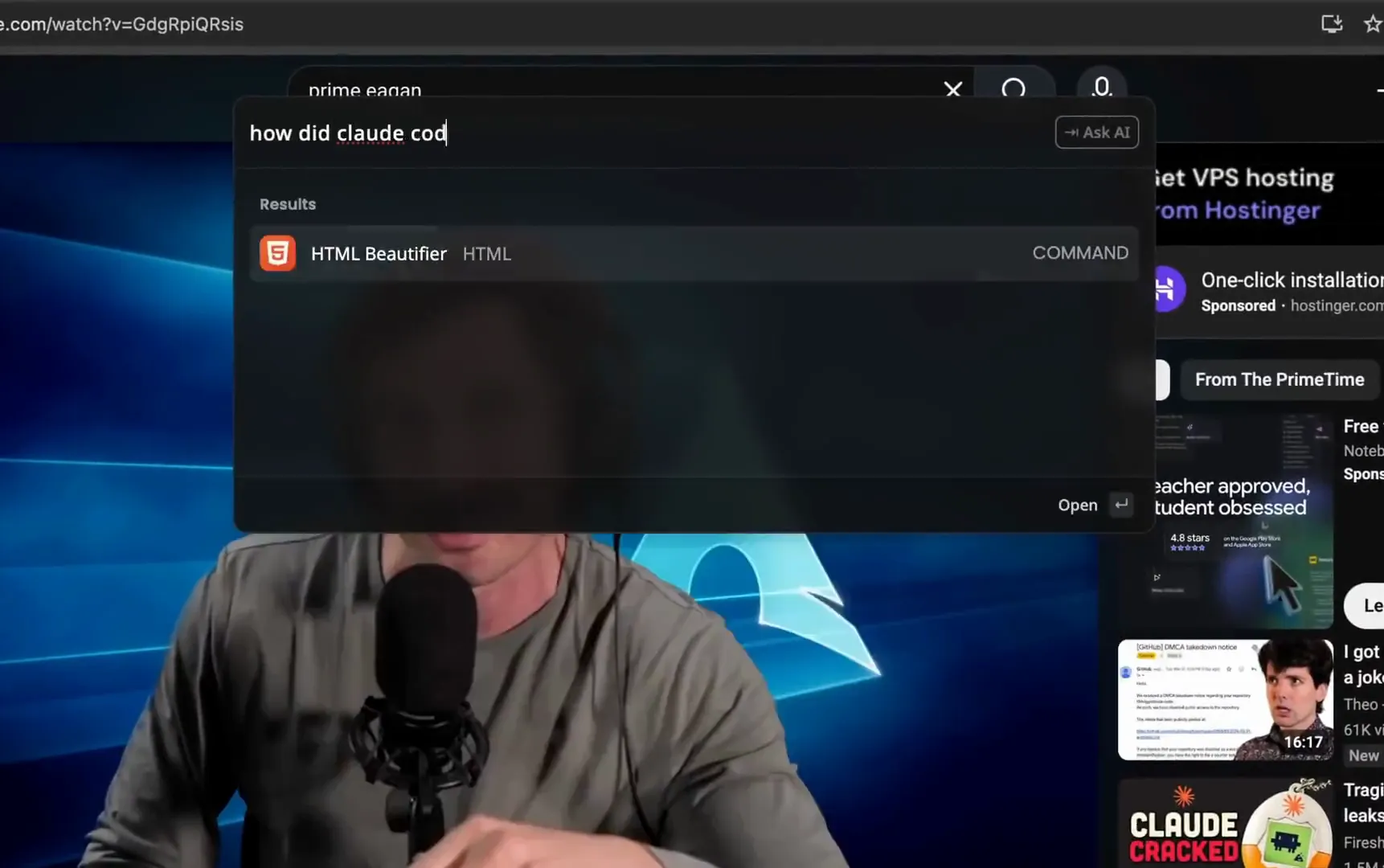
Type a question in the launcher and hit Tab. The answer comes back inline, no chat window, no new tab. Built for the hundred small questions a day: a regex, a date, a word you forgot.

Video Poster
Ask AI
Type a question. Hit Tab. Skip the chat UI.

Your selection, handled

Select text, run a command, get the result back in place. Six come built in. The rest you write yourself.

AI Commands 6 built in
Ask About Page Ask a question about the page you are on. The page text is the context.
Summarize Boil a long article or your selection down to the key points.
Translate To Translate the selection or the page to any language you type.
Fix Spelling and Grammar Select text, run the command, get the corrected version back.
Rewrite As Rewrite a selection in whatever tone you name.
Simplify Text Turn dense text into plain language without losing the meaning.

Write your own

A name, a prompt, a model, a few keywords. Drop arguments into the prompt and the launcher fills them from the page when you run it.

Create AI Command
Name
Reply in my voice
Prompt
Draft a short reply to the message in {selection || copied}. Match my tone from {url} and keep it under {length} words.
Model
Claude Sonnet 5
Keywords
reply, email, answer
{selection} Selected text {copied} Clipboard {tab-text} Page text {url} Page URL {text:h1} One element {a || b} Fallback

A chat that knows your browser

Chat when you want a back-and-forth. It can read the page you are on, search your browser, and search the web. Every call shows up in the chat.

Chat with AI Gemini 3.6 Flash

Which tab has the pricing research? And what's $49 in euros?

Searched your tabs 2 matches
Pricing research docs.google.com
Competitor teardown notion.so
49 USD = €42.16 1 USD = 0.8604 EUR

Pricing research is open in your second window, the Google Doc. And $49 is about €42.16 at the current rate.

Gemini 3.6 Flash

What does this page say about refunds?

Read this page Refund policy

Refunds go back to the original payment method within 5 to 10 business days. Disputed charges are handled separately.

Gemini 3.6 Flash

Type your message here... (/ attaches context) /
On this page
Page text What you are reading
Page HTML The markup, or one element
Selection What you highlighted
Copied text Your clipboard
In your browser
Tabs Anything you have open
History Pages from days ago
Downloads Files, found by name
Bookmarks UtilEngine and browser, both
Beyond it
Web search Current events, fresh data
Calculator Exact answers, not guesses
Currency Live exchange rates

Every tool is read-only, and every one has a switch. The AI can look things up. It never touches your tabs.

Control what the AI can read

Each switch decides what the AI is allowed to read, from your selection and open tabs to the web and this page. Off means it never sees that data.

Tools 5 of 5 on
Chat with AI Gemini 3.6 Flash

Rewrite what I highlighted in plain English.

Read your selection Refund policy

Your money goes back to the card you paid with, within 5 to 10 business days. If you disputed the charge with your bank, that is handled on its own.

Gemini 3.6 Flash

Type your message here... (/ attaches context) /

One key. Any model.

Every command and chat can use a different model, 69 of them behind one OpenRouter key. Most AI extensions resell that access as a subscription. UtilEngine doesn't. You pay the provider directly, at their prices, and the extension is a one-time purchase.

How bring-your-own-key works

AI, answered

What can the AI do, beyond chat?

Run commands on your selection or the page (summarize, translate, rewrite, fix grammar, ask about the page), answer a question inline without a chat window, and read the page, your selection, or copied text while it answers, along with searching your tabs, history, downloads, and bookmarks. You can also write your own commands.

Which AI models can I use?

69 models from OpenAI, Anthropic, Google, xAI, MoonshotAI, and Z.AI, all through one OpenRouter key that stays on your machine.

Do I pay for AI usage separately?

Yes, and that is the point. You pay OpenRouter or the provider directly for what you use, at their prices. UtilEngine takes no markup and sells no AI subscription.

Where is my API key stored?

In your browser's extension storage. Keys never sync to our servers.

How do custom commands work?

Give a command a name, a prompt, a model, and a few keywords. Prompts take arguments like {selection}, {copied}, {tab-text}, or {url}, with || for fallbacks and up to three arguments of your own. It then shows up in the launcher like any other command.

Can different commands use different models?

Yes. Every AI command has its own model setting. Use a fast model for grammar fixes and a stronger one for analysis.

Does it work on any website?

Yes. The launcher opens on any page. Commands can read your selection or the page text when you ask them to.

Can the AI search the web or my tabs?

Yes. The AI has tools it can call while answering. Web search, a calculator, currency conversion, search over your open tabs, history, downloads, and bookmarks, and reading the page you are on, your selection, or copied text. Every tool call is shown in the chat, so you always see what it looked at.

How does the AI read the page?

Two ways. Say "this page" or "this article" in chat or Ask AI and the AI reads it through a tool, which shows up as a chip in the answer. Or type / in chat to attach the page, your selection, or copied text to a message yourself. Either way the text is captured when you send and only enters the conversation when it is used.

Can I turn tools off?

Yes, one switch per tool in AI settings. A tool that is off is left out of every request, and its data is never captured unless you attach it yourself with /. Turn off Page HTML and the page's markup never leaves the tab.

AI in your browser, one keystroke away

Ask, rewrite, summarize, or write your own commands. Plus 50+ other commands. One payment, yours forever.

Get it for $49

One-time payment. 14-day refund, no questions asked.