A session manager that has your back
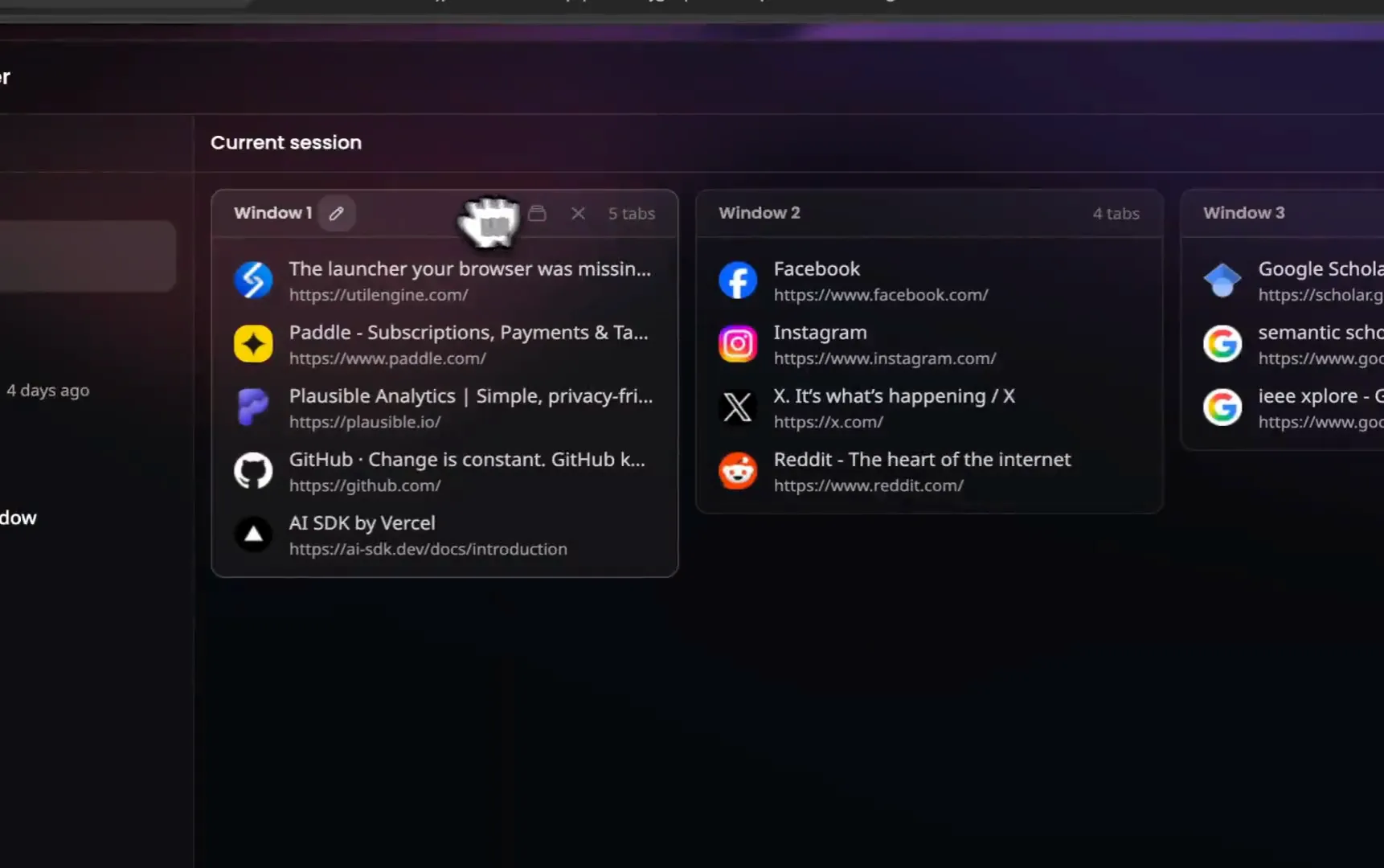
Save any window as a session. UtilEngine also snapshots your tabs every hour on its own, so a crash or a misclick costs you nothing.
Get it for $49 Figma - Q3 Redesign
 Competitor teardown
 Pricing research
 Analytics
 Launch checklist
How sessions work
Sessions you save on purpose, snapshots that happen on their own. Two layers between you and a lost window.
Save a window, get it back anywhere
Open the launcher, type "save", and the current window becomes a named session. You can also save every open window at once. Restore a session into a new window or the one you are in. Since sessions sync with your account, the window you saved at work opens at home exactly as you left it.
Snapshots run on their own
Every hour, all windows and tabs. Change the interval anytime.
Pricing research Competitor teardown 14 days of history
Up to 500 snapshots. Pull back Tuesday morning's exact tabs.
 Restore Last Snapshot Manage Snapshots
 Undo a closed window
The last snapshot is one command away. Closing a window writes a final one.
Sprint board Active Landing redesign Q3 budget draft Meeting notes Put tabs to sleep, free the memory
The Session Manager also shows your live windows. Put one tab to sleep, or every tab in a window at once, and the memory comes back while everything stays where it is. Sleeping tabs dim with a moon on the board and wake the moment you click them. It plays along with Chrome's own Memory Saver, and needs no extra permissions.
Part of a launcher, not another dashboard
Everything lives behind one shortcut. It opens the launcher on any page, and your sessions are a keystroke away.
Most session managers are a separate app you have to visit. UtilEngine is a launcher for your browser, so saving and restoring sessions works like everything else: press your shortcut (Alt+Z by default), type a few letters, hit Enter. The same launcher runs 50+ other commands, from a calculator to JSON tools to AI chat.
Your data stays in your browser. We verify your license on activation and store your name and email. Session contents sync through your account so your devices stay in step, and nothing is shared with anyone.
Sessions, answered
What happens if my browser crashes?
UtilEngine snapshots all your open windows on a schedule, every hour by default. After a crash, open the launcher and restore the latest snapshot. Closing a window also writes one final snapshot, so even an accidental close is covered.
How often do snapshots run?
Every hour by default. You can change the interval in settings.
How long are snapshots kept?
14 days, up to 500 snapshots. Sessions you save yourself are kept until you delete them.
Do my sessions sync across computers?
Yes. Sessions follow your UtilEngine account. Save a window at work, restore it at home, in any Chromium browser.
How big can a session be?
A session holds up to 20 windows and 200 tabs.
Can UtilEngine put tabs to sleep?
Yes. Every live window in the Session Manager has a sleep action, per tab or for the whole window. A sleeping tab frees its memory but stays in place, and clicking it wakes it. Tabs suspended by Chrome's Memory Saver show as asleep too.
Do sleeping tabs lose anything?
The page reloads when it wakes, so unsaved form input is gone. The tab itself, its address, and its spot in the window all stay. The active tab of a window never sleeps.
Which browsers are supported?
Chrome, Brave, Edge, and other Chromium browsers. Firefox support is on the roadmap.
Stop losing windows
Sessions, snapshots, and 50+ commands. One payment, yours forever.
Get it for $49One-time payment. 14-day refund, no questions asked.